Arrive · Weather
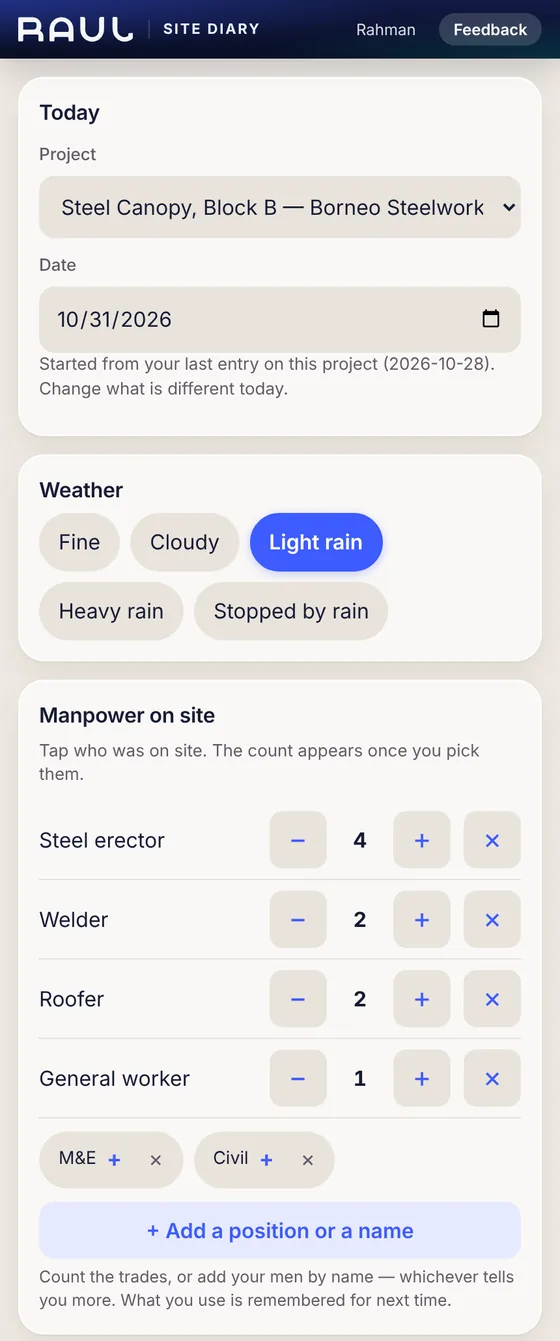
Fine, Cloudy, Light rain, Heavy rain or Stopped by rain. The form starts from your last entry on this project, so you only change what is different today.
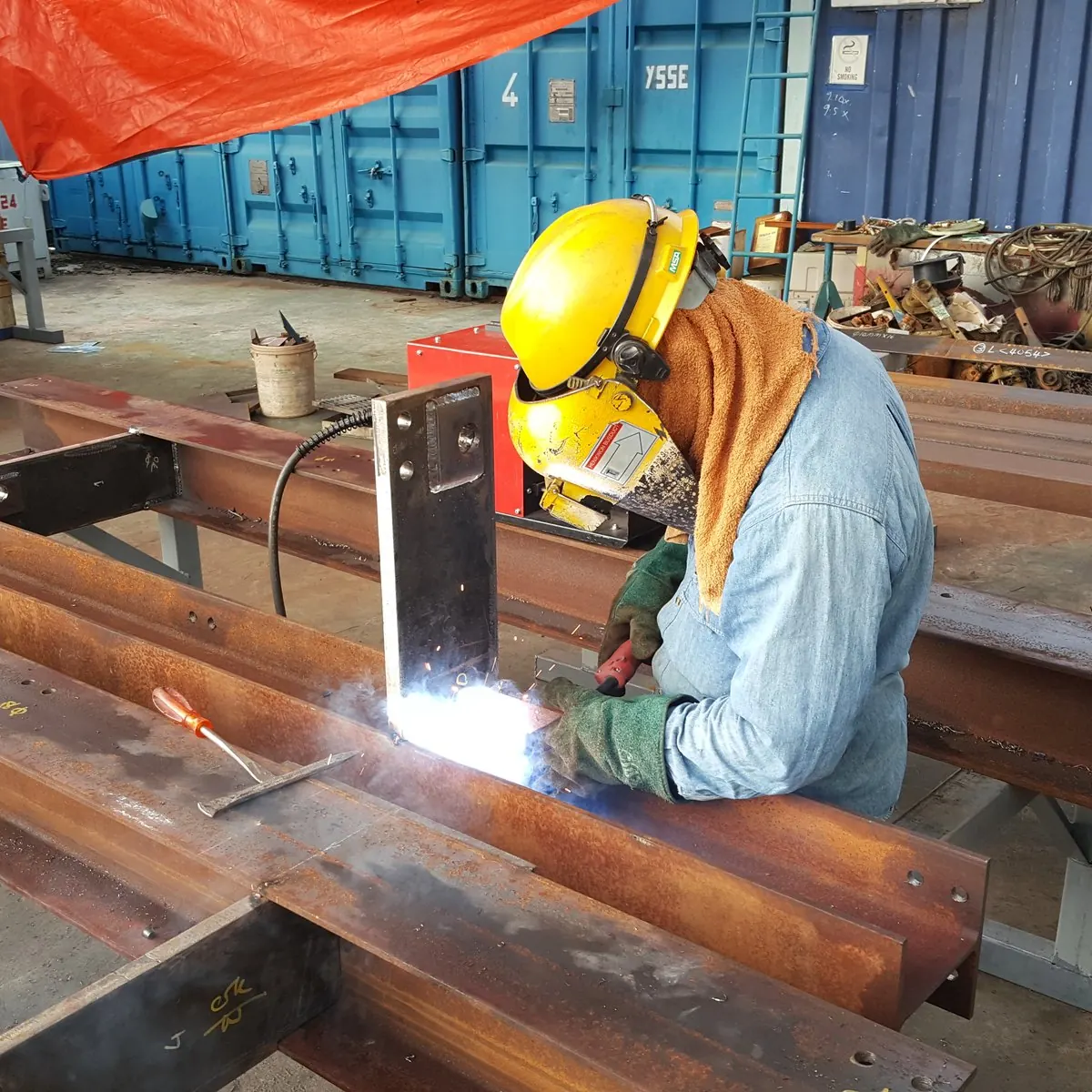
Raul’s Site Diary is a phone page where your supervisors and foremen file each day’s report: weather, who was on site, progress, anything blocked, and photos. It takes about a minute, it works with no signal, and site staff accounts are free.
14 days free, no card · Every feature on every plan · Site staff are free
Fine, Cloudy, Light rain, Heavy rain or Stopped by rain. The form starts from your last entry on this project, so you only change what is different today.
Tap the trades or the people who were there. Add a position or a name once and Raul remembers it for next time.
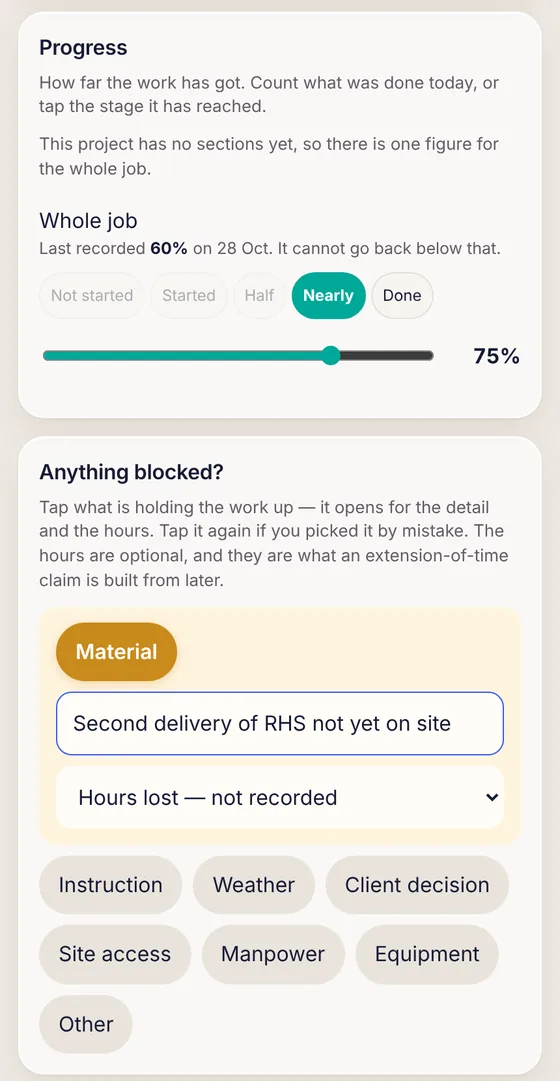
Type how many were done today, for example 6 sets of handrail, and Raul adds the entries up. Anything blocked? Pick Material, Instruction, Weather and more, with the hours lost.
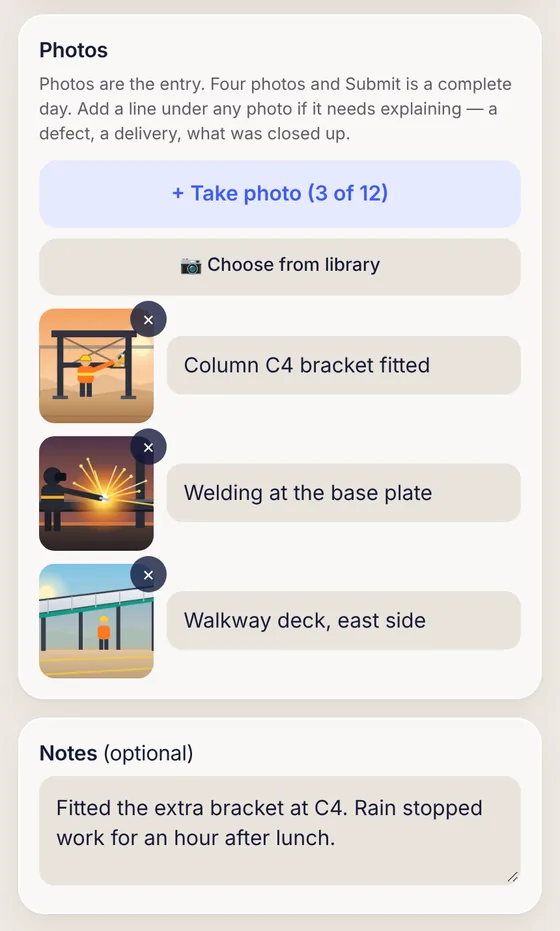
Up to 12 photos go into one entry, from the camera or the phone’s library, with a line under any photo that needs explaining.
The entry is not lost. It is saved on the phone and sends itself when signal comes back, and the Site Diary shows how many entries are waiting.

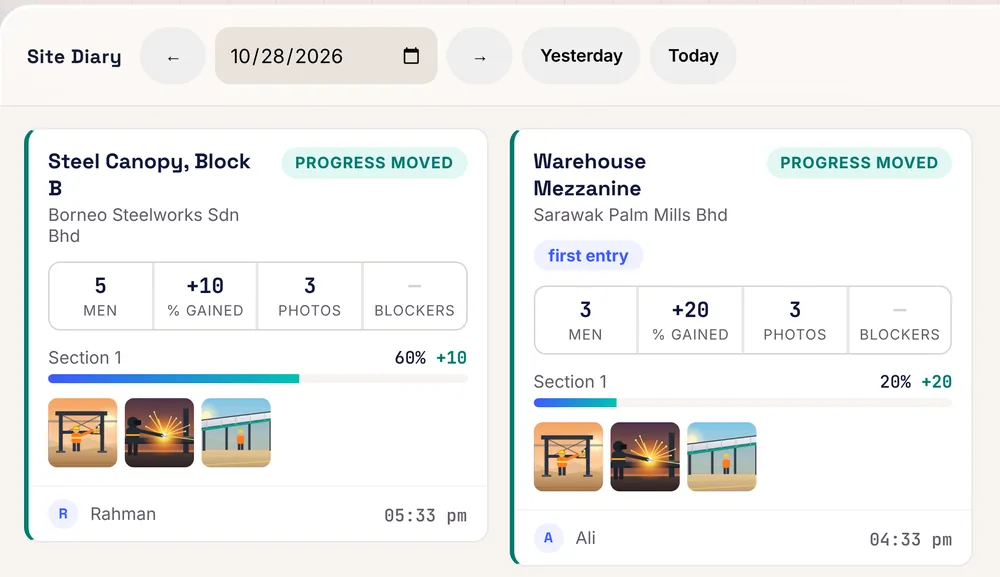
The Site Diary page in Project Management lists every site for the day you choose. Sites that filed show in full, and sites that did not file are named underneath.
Everything on the form is a tap or a short entry, so a foreman can finish it before he leaves the site.
Up to 12 photos go into one entry, from the camera or from the phone’s library, such as a photo taken earlier or sent on WhatsApp. A line can go under any photo that needs explaining.
When the phone has no signal, the entry is saved on the phone and sends itself when signal comes back. The Site Diary shows how many entries are waiting, so the supervisor does not file the same day twice.
The Site Diary page in Project Management lists every site for the day you choose. Sites that filed show in full, and sites that did not file are named underneath.
Site supervisors and foremen at construction companies, main contractors, subcontractors, renovation firms and M&E and other specialist trades. The office adds each person in Settings, Users, with the role Site staff, Site Diary only. Site staff are free, in any number, on every plan. Management can also switch the Site Diary on for a QS or engineer who files from site.
Yes. With no signal, the entry is saved on the phone and sends itself when signal comes back. The Site Diary shows how many entries are waiting.
No. Site staff accounts are free on every plan, in any number. They can use the Site Diary only.
Up to 12. Photos can be taken with the camera or chosen from the phone library, and a line can be added under any photo that needs explaining.
Yes, within 24 hours, by amending the entry. After 24 hours the entry locks as a record. If it is wrong, Management can strike it through with a reason; it stays readable but stops counting.
Yes. The Site Diary page in Project Management shows every site for one day and prints a whole-day sheet as a PDF.
Management removes the login and access is cut straight away. The entries and photos stay on the job.
14 days free, no card. Or WhatsApp us and we will set it up with you.
+60 16-782 8223